

Topic starter
19/07/2026 7:16 am
# My Charter Agent (Tonnage Radar) Product Introduction
## 1. Product Positioning
My Charter Agent is a chartering workflow platform for shipbrokers, shipowners, operators, cargo owners, and chartering teams. It can be deployed on the user's own computer, internal server, or customer-owned cloud server. The system connects to business mailboxes, parses open-vessel and cargo opportunities from emails, and uses HiFleet data capabilities for vessel profiles, ports, public tonnage/cargo records, pre-arrival vessels, contact information, subscriptions, and usage records.
Its core objective is to turn scattered chartering opportunities from emails, public markets, and vessel data platforms into a private workspace that is searchable, filterable, matchable, and trackable.
## 2. Target Users
- Shipbrokers: automatically organize large volumes of daily tonnage and cargo emails and identify matching opportunities faster.
- Shipowners and operators: filter cargo opportunities suitable for owned or partner vessels and follow up on priority leads.
- Cargo owners and charterers: manage inquiry emails and search for available tonnage by port, laycan, cargo quantity, and vessel type.
- Enterprise chartering teams: deploy in a customer-owned environment and manage internal mailbox records, public market data, and team users in one place.
## 3. Core Features
### 3.1 Automatic Mailbox Parsing
- Supports one or multiple mailbox accounts.
- Supports multiple mailbox folders, such as Inbox, Junk Mail, and business archive folders.
- Automatically synchronizes new emails at a configured interval, with a manual "Sync Mailbox" action available.
- Uses the configured LLM to parse email subjects and bodies and extract open-vessel records, cargo records, and unknown or exception emails.
- Stores parsing results in a local SQLite database and displays them with pagination on the frontend.
- Supports original email preview, webmail open/search, webmail reply, and in-system follow-up status tracking.
### 3.2 Tonnage and Cargo Workspace
- Multiple views for private open vessels, private cargo, public open vessels, public cargo, pre-arrival vessels, matching, exceptions, watchlist, subscription, and login logs.
- Paginated display with page size options such as 10, 20, 30, 50, and 100.
- Search suggestions for ports, vessel names, cargo names, and email subjects; port suggestions are connected to HiFleet port search capabilities.
- All, private open-vessel, private cargo, public open-vessel, and public cargo views support port-based search. Distance fields show explicit units during port search.
- Open-vessel and public open-vessel filters for vessel type, vessel subtype, and HiFleet-provided tags.
- Cargo and public cargo filters for cargo quantity and HiFleet-provided tags.
- A "Display Days" filter in the left filter panel controls how many recent days of private and public tonnage/cargo records are shown. This preference is saved in the user's browser.
- Compact laycan formatting, such as `16-18 Jul 26` and `26 Jul-08 Aug 26`.
- The interface supports mobile and narrow-screen access. Wide tables can be dragged horizontally to reveal all columns.
- Watchlist management for continuously tracking priority tonnage and cargo opportunities.
### 3.3 HiFleet Enrichment
The system can call HiFleet to enrich tonnage and cargo records parsed from the user's mailbox:
- Open vessels: enriches port IDs, vessel profiles, DWT, year of build, flag, owner, manager, operator, vessel type, and tags.
- Cargo: enriches port IDs, tags, and fields needed for matching.
- Port IDs use persistent caching to reduce repeated API calls.
- Only unenriched records within the frontend display date range are enriched.
- Newly received tonnage and cargo records can enter the enrichment process automatically after mailbox synchronization.
For customers concerned about private mailbox data, the system provides a dedicated switch:
HiFleet enrichment for private tonnage/cargo
When this switch is off, private tonnage and cargo records from the user's mailbox keep only locally parsed fields and will no longer be sent to HiFleet for enrichment. Public tonnage/cargo, pre-arrival vessel search, subscription, and usage query functions can still use HiFleet normally.
### 3.4 Public Tonnage and Public Cargo
- Supports reading HiFleet public tonnage and public cargo records.
- Supports paginated browsing and port-based search.
- Port search supports distance-based sorting.
- When a public tonnage or cargo detail is opened, the system can follow the HiFleet public contact workflow to obtain contacts, email addresses, and phone numbers.
- The right-side detail panel shows only commonly used chartering fields to reduce noise from raw API fields.
### 3.5 Pre-Arrival Vessel Search
- Supports querying pre-arrival vessels by port.
- Supports filters for vessel type, vessel subtype, ETA, and whether contact information is available.
- Shows a frontend progress indicator when a query is slow.
- When a vessel is selected, if contact records are available, the system can call HiFleet unlock and refresh the right-side panel with clear-text contact details.
- The detail panel displays chartering-oriented information such as owner, manager, operator, and contacts.
### 3.6 Intelligent Matching
The system matches tonnage and cargo records based on key fields:
- Port and distance
- Laycan overlap
- Vessel type and subtype
- DWT and cargo quantity
- Route intention
- Cargo type and tags
The frontend displays a matching score and matching reasons so users can prioritize opportunities with a higher probability of conversion.
### 3.7 Login, Permissions, and Audit
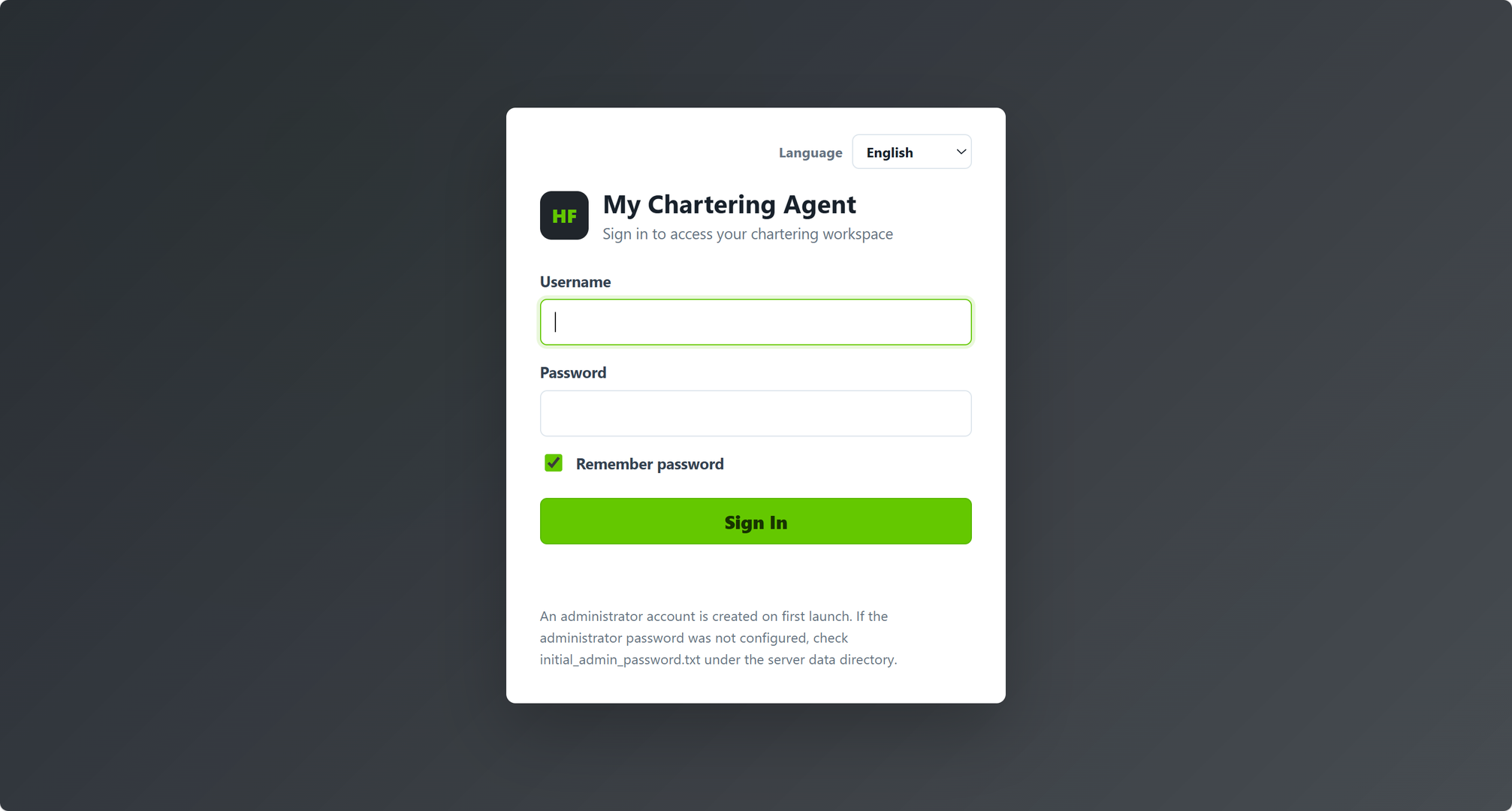
- The login page supports Simplified Chinese, Traditional Chinese, English, Japanese, Spanish, German, and Russian. On first visit it follows the browser language by default; after the user switches language, the choice is remembered and carried into the main application.
- Normal users must sign in before accessing the workspace.
- Only administrators can open System Settings and configure mailbox access, HiFleet API Key, LLM settings, private enrichment switches, and user management.
- Administrators can create normal users, reset passwords, deactivate users, or delete normal users.
- Administrators can open the "Login Logs" view after "Subscription" on the home page to review login time, user, success/failure status, IP address, IP source country and city, and browser information.
### 3.8 Multilingual Interface
The system supports language switching and remembers the user's previous selection:
- Simplified Chinese
- Traditional Chinese
- English
- Japanese
- Spanish
- German
- Russian
Interface prompts, buttons, filters, table headers, settings, subscription pages, and the login page support multilingual display. Business data such as vessel names, port names, cargo names, and email subjects remains in the original language and is not machine-translated.
### 3.9 Subscription and Usage
- The frontend provides a subscription page that can embed the HiFleet Skills console.
- Supports automatic console login using the configured HiFleet API Key.
- Supports viewing current-week usage, balance, subscription plans, and API call details.
- Free or non-billable APIs can be displayed as zero-cost records according to local usage-record rules.
## 4. Deployment Architecture
The system uses a lightweight private deployment architecture:
Browser
|
| http://127.0.0.1:8765 or customer-owned server address
v
My Charter Agent backend service
|
|-- Local SQLite database
|-- Local archived .eml emails
|-- Local config.json
|
|-- IMAP/SMTP mailbox service
|-- User-configured LLM API
|-- HiFleet API / Skills Console
For single-machine deployment, the browser accesses `127.0.0.1:8765` by default. For enterprise or team use, the system can also be deployed on the customer's own cloud server or internal server.
## 5. Customer Configuration Requirements
Before going live, the administrator usually needs to prepare:
- Mailbox account, IMAP host, port, SSL setting, and app-specific password.
- Mail folders to synchronize, one folder per line.
- LLM API Base URL, API Key, model name, and token limits.
- Whether to allow sanitized email subjects and bodies to be sent to the LLM for parsing.
- HiFleet API Key; if there is no key, it can be requested from the Settings page.
- Whether to enable HiFleet enrichment for private tonnage/cargo.
- Optional SMTP configuration for in-system email replies.
- Initial administrator password, normal user accounts, and access policy.
- Network access permissions for the deployment computer or server.
Normal users can adjust "Display Days" in the left filter panel, for example to show only the last 5 days of records. This is a personal browser preference and does not require System Settings access.
## 6. Data Security and Leakage Concerns
### 6.1 What Data Is Stored Locally
The following data is stored in the customer's own deployment environment:
- Mailbox account configuration and app-specific password.
- Archived original emails.
- SQLite database.
- Parsed tonnage, cargo, and exception email records.
- Watchlist and follow-up status.
- User accounts, login logs, local service logs, and usage records.
### 6.2 Is the Mailbox Password Sent to HiFleet
No. The mailbox password is only used by the system to connect to the IMAP/SMTP mailbox service configured by the customer. It does not need to be sent to HiFleet. Customers should use an app-specific password or third-party client authorization password instead of the webmail login password.
### 6.3 Is Email Content Sent to the LLM
Only after an administrator enables "allow sanitized emails to be sent to the LLM" will the system send sanitized email subjects and bodies to the configured LLM API. The sanitization scope includes email addresses, phone numbers, WeChat IDs, WhatsApp numbers, QQ numbers, and other contact details.
To preserve parsing quality, business fields such as vessel name, port, cargo, DWT, laycan, and vessel type are retained.
Highly sensitive customers are advised to use their own enterprise LLM, private LLM, or internally hosted model.
### 6.4 Is Private Tonnage/Cargo Sent to HiFleet
If "HiFleet enrichment for private tonnage/cargo" is enabled, the system sends the business fields required for enrichment to HiFleet, such as vessel name, IMO, port, DWT, laycan, vessel type, cargo type, and sanitized business descriptions. Contact fields are removed, and email addresses, phone numbers, and instant messaging accounts in the body text are sanitized.
If the customer does not want private mailbox tonnage/cargo data to be sent to HiFleet, this switch can be disabled. After it is disabled:
- Private mailbox tonnage/cargo records can still be displayed, searched, and matched locally.
- HiFleet port IDs, vessel profiles, and server-generated tags will no longer be added to private records.
- Public tonnage/cargo, pre-arrival vessels, subscription, and usage queries can still use HiFleet.
### 6.5 What Risks Are Reduced by Local Deployment
Local or customer-owned server deployment reduces the following risks:
- Mailbox passwords do not pass through a third-party hosted platform.
- Original emails and the database remain in the customer's environment.
- Administrators can control normal-user accounts, system settings, and login audit.
- The customer controls firewall rules, HTTPS, access permissions, and backup policies.
- The customer can decide whether to connect to an external LLM and whether to enable private HiFleet enrichment.
## 7. Product Value
- Automates repetitive manual work in organizing chartering emails.
- Brings private mailbox tonnage/cargo, public tonnage/cargo, and pre-arrival vessels into one interface.
- Improves port search, distance sorting, tonnage/cargo matching, and follow-up efficiency.
- Balances operational efficiency and data security through private deployment, login permissions, and independent control switches.
- Supports multilingual collaboration and team user management for international chartering teams.
## 8. Delivery Format
Current delivery packages are protected packages without backend source code:
```text
MyCharterAgent-Windows-x64-Protected-latest.zip
MyCharterAgent-Linux-x86_64-Protected-latest.tar.gz
```
The Windows package contains the protected backend executable `charter_agent.exe`. The Linux package contains the protected backend executable `charter_agent`. Both packages include frontend templates, sample configuration, and installation/start/stop scripts.
The packages do not include:
- Backend source file `app.py`
- Customer local `config.json`
- SQLite database
- Archived emails
- Service logs
Topic starter
19/07/2026 7:29 am
My Charter Agent Demo:
Username:test
Password:hifleet123
Note:this account does not have admin privilages
This post was modified 3 months ago 3 times by hifleet
Topic starter
23/07/2026 8:10 am
Multi-users supported in this version
This post was modified 3 months ago 2 times by hifleet
Topic starter
24/07/2026 4:49 am
Tonnage/cargo email parsing improved
This post was modified 3 months ago 2 times by hifleet

29/07/2026 8:17 am
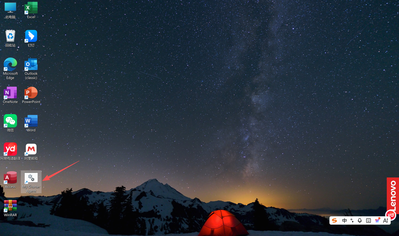
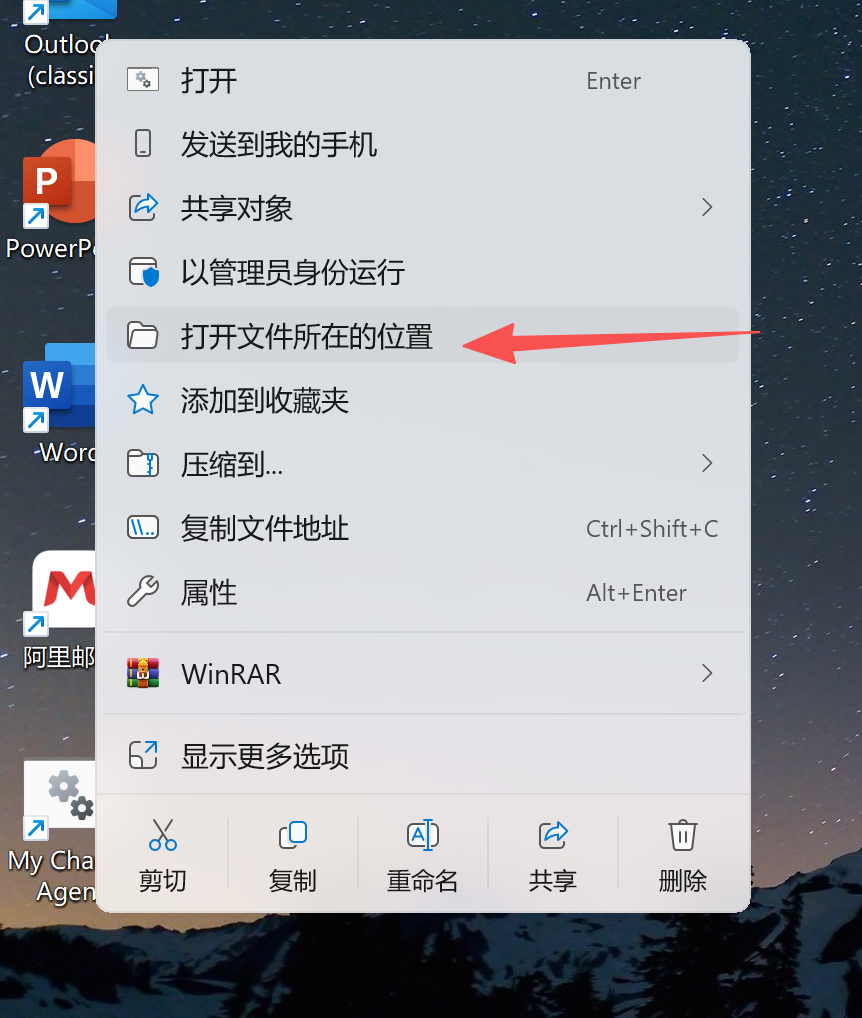
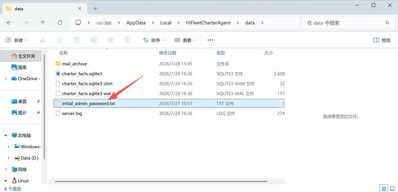
Solution for after following "Installation Instruction" and running "My Charter Agent", but cannot find initial login account and password:
Step 1: locate "My Charter Agent" desktop icon, and right-click the icon:
Step 2: Click "Open file location":
Step 3: locate and open the folder named "data", then locate the txt document "initial_admin_password.txt", you will find the account and password within to log into "My Charter Agent":
Topic starter
18/08/2026 3:26 am
My Charter Agent 0.6 Release Notes
Unified port-distance logic: private/public open vessels are sorted by distance from the searched port to the OPEN port; private/public cargoes are sorted by distance from the searched port to the loading port.
Vessel name/IMO search is supported for Private/public open vessels.
Topic starter
05/09/2026 12:54 pm
My Charter Agent 0.7 Release Notes
Change the product name to My Tonnage Radar and highlight its ability to sort vessel and cargo emails by distance to the searched port;Remove the repeated tonnage or cargo offers,etc.
This post was modified 2 months ago 3 times by hifleet
Topic starter
09/09/2026 7:16 am
My Tonnage Radar 0.8 Release Notes
Add a label indicating whether the vessel is willing to call at GOA / Fujairah / Oman / India